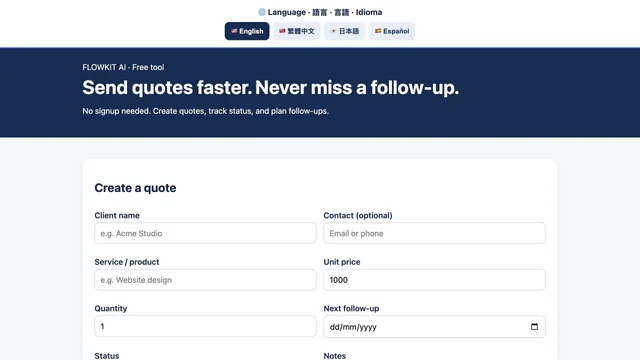
FlowKit Studio
A browser workspace for independent fitness coaches to record prospects, quotes and follow-up dates.
Free early access · browser-local records
Independent tool research. Clearer decisions.
Find tools for your task. Compare recorded free-plan limits, billing terms and restrictions, with sources and dates beside the details.
Find my AI setup ↗See how it works ↓Rankings and verdicts are never for sale.
Check subscriber limits and feature gates before committing to a newsletter platform.
A starting point for your research. The choice stays yours.
Put Fewertools to work
Fresh from the research desk
A window into three of the 39 catalogue entries added on 25 October. Source-reviewed, with access limits left in. Not ranked recommendations.
A browser workspace for independent fitness coaches to record prospects, quotes and follow-up dates.
Free early access · browser-local records
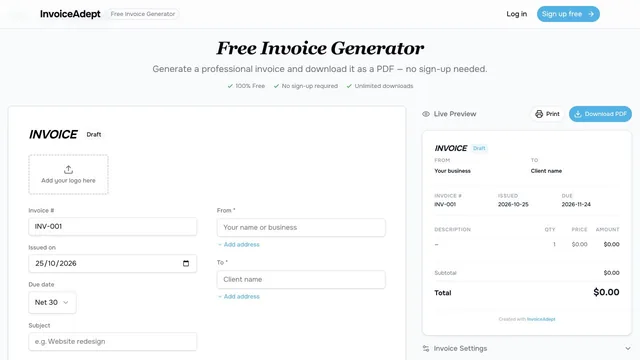

Invoice creation and client records with optional Stripe payment links and WhatsApp sharing on paid plans.
Free: 5 invoices/month · 1 user
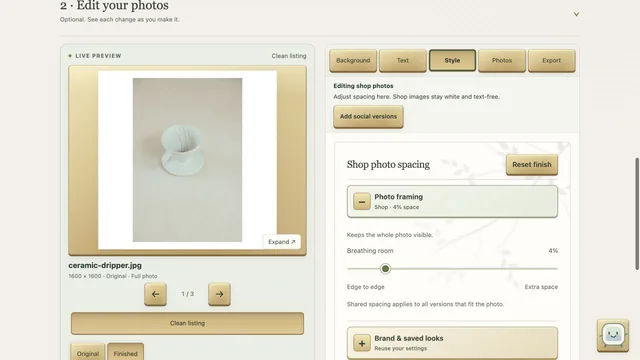

A browser photo workspace for styling up to 30 product images and exporting selected shop and social versions in a ZIP.
Free beta · shared background-removal allowance
Read the small print
Plan checks with the
source and date attached.
14-day no-card trial. Starter: USD 16/editor/month equivalent billed annually, USD 192/editor/year. Up to 10 projects and 500 monthly AI credits per editor; tax may apply. Monthly-billing prices were not checked.
Plans & source dates ↗Free · open-source desktop software. Window/screen capture, audio mixing and scenes. Current Mac release: macOS 13 or newer, Intel or Apple Silicon. Windows 10/11 and Linux downloads available. Recording duration and resolution depend on setup; no numeric allowance verified.
Plans & source dates ↗Free. 10,000 subscribers · unlimited email broadcasts. Visual automations and sequences require paid plans; provider branding remains and commerce has separate fees.
Plans & source dates ↗A little less guesswork
See how a task becomes a shortlist, an evidence check and a cost decision.
An illustrated walkthrough of existing Fewertools features, animated in After Effects. It is not a live screen recording, speed test or new recommendation.
One feature. Twelve seconds.
Pick a task. Watch the short tour.
Then try it for yourself.
Illustrated guides to existing features, with music, interaction sounds and captions. UI is simplified; these are not live screen recordings.
Rankings and verdicts are never for sale. How we research tools →
Agents defined in code. Deployment roles documented; standalone price unknown.
See access and limits ↗Learning, monitoring and email: regional billing, daily allowances and trial boundaries.
Browse the dated checks ↗Public repositories face a new default block on pull_request_target, with two November test windows. Private and internal repositories are excluded.
Read the source-backed update ↗For tool makers
Submit your tool for free editorial consideration. Want a separate homepage feature? £29 for seven days.
Sponsored cards are clearly labelled. Listings, rankings and recommendations stay independent.
The Drop / free email updates
New tools, free-plan limits and pricing checks, with the sources and dates attached. Sent when there is something useful to report.
Agent roles. Sending permissions. Five fields to check.